World map
Rooms are whole numbers of screens placed on a grid. Open World in the Project panel.
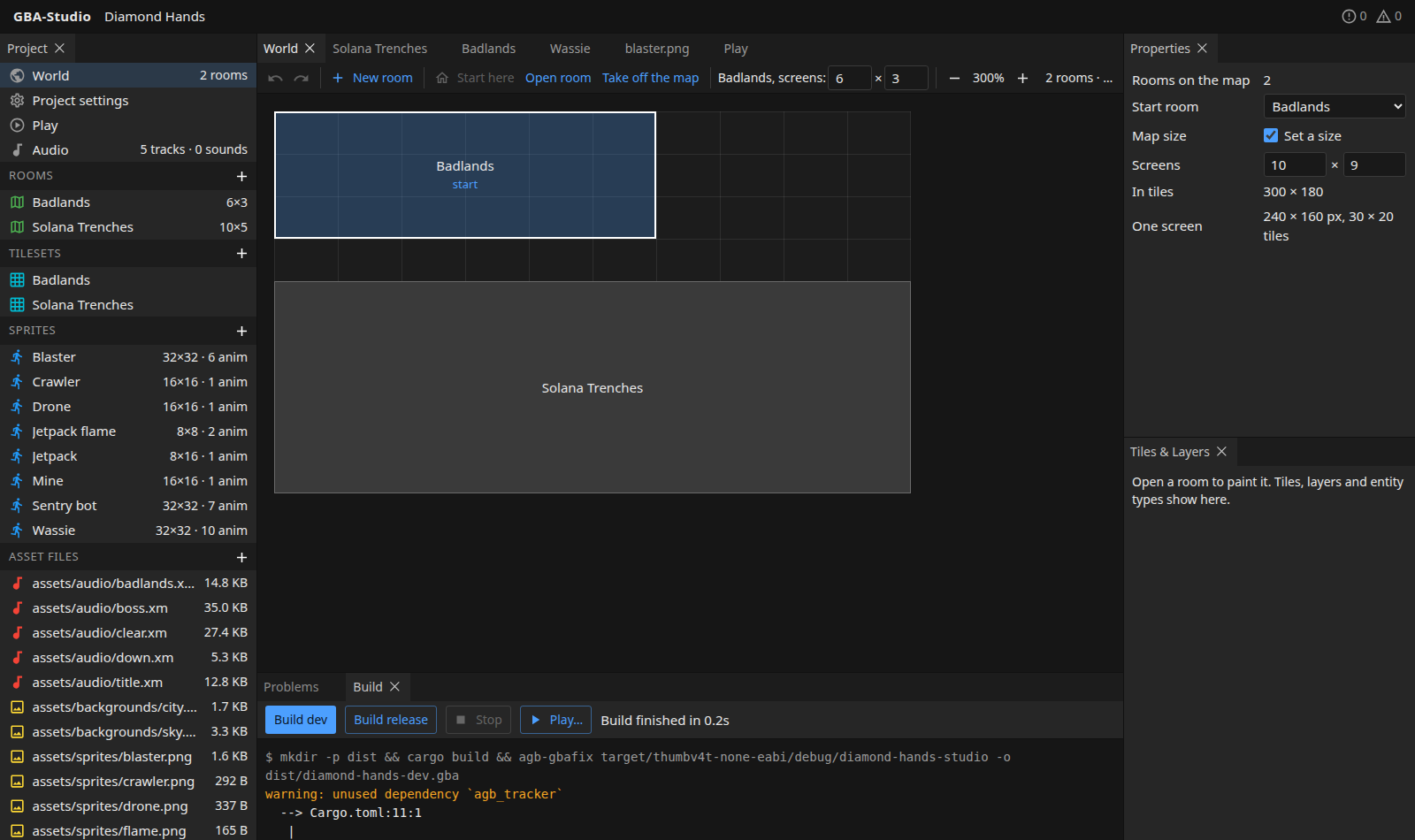
One screen is 240x160 pixels, or 30x20 tiles. The map shows the grid in screens.
Toolbar
| Button | What it does |
|---|---|
| Undo / Redo | Step back and forward through map changes. |
| New room | Make a room beside the others. |
| Start here | Make the selected room the one the game starts in. |
| Open room | Open the selected room in the map editor. |
| Take off the map | Remove the selected room from the map without deleting it. An unplaced room can be put back. |
| − / + | Zoom. |
Arranging rooms
- Drag rooms to arrange them.
- Double-click an empty screen to make a room right there.
- Select a room to change its size in screens in the toolbar.
- The start room is labelled start.
A project with no tileset yet can import one from a PNG in the new-room dialog.
Map size
In Properties, with nothing selected, you can give the map a size in screens (and so in tiles). Rooms are then kept inside it, and a room outside is reported as a problem. Without a size the map grows with its rooms.
Connected rooms
Rooms that touch on this grid are connected in the game: the player walks from one into the other and the camera scrolls across with no cut or loading, the next room's tiles being written to video memory just ahead of it.
Same tileset to scroll
Rooms drawn with different tilesets cannot share the screen (the GBA shows one set of 16 background palettes), so the game cuts between them instead of scrolling.
Overlapping rooms are reported as a problem.