The interface
The studio is dark and compact, in the style of an image editor.
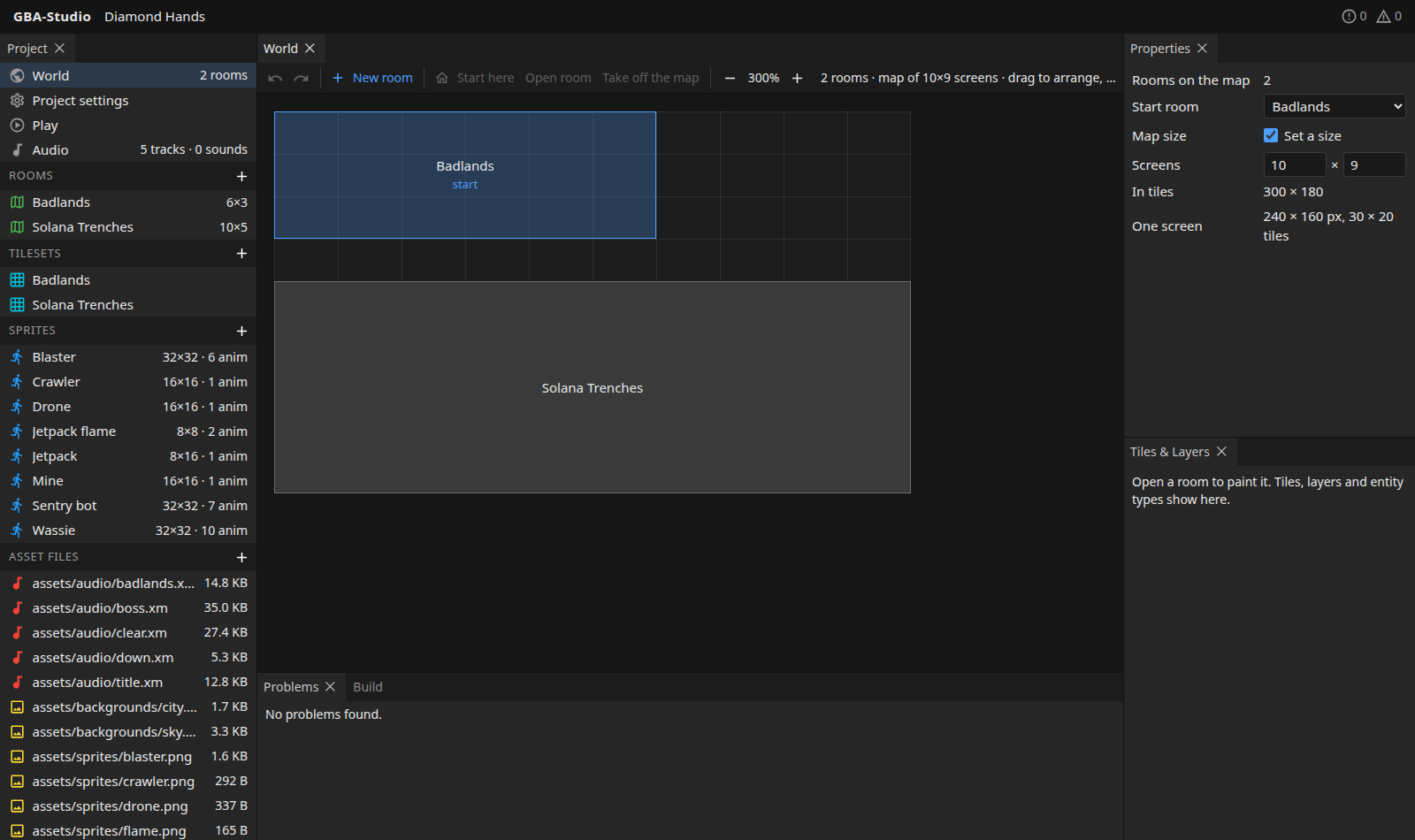
Layout on wide screens
Panels are dockable: drag them, tab them together and split them.
| Panel | What it holds |
|---|---|
| Project | Everything in the game, see below. |
| Document tabs | One tab per open item: World, a room, a tileset, a sprite, Project settings, Play, Audio, or an image in the pixel editor. |
| Properties | The settings of whatever is open or selected: a room's name, size, tileset, music and backgrounds, a sprite's anchor and hitbox, and so on. |
| Tiles & Layers | In a room: its layers, the entity types to place and the collision classes. |
| Problems and Build | Below the editor. Problems lists what is wrong; Build runs and streams the build. |
The top bar shows the project name and, on the right, the number of errors and warnings.
The Project panel
| Section | Contents |
|---|---|
| World, Project settings, Play, Audio | The four fixed pages. World shows the number of rooms; Audio shows tracks and sound effects. |
| Rooms | Every room with its size in screens. + makes a new room (a room needs a tileset first). |
| Tilesets | PNGs of 8x8 tiles with collision classes. + makes one from a PNG. |
| Sprites | Sprite sheets with their frame size and number of animations. + makes one from a sheet. |
| Asset files | Every PNG, audio and other file in assets/, with its size. + makes a new blank image to draw. Click a PNG to open it in the pixel editor. |
Narrow screens and phones
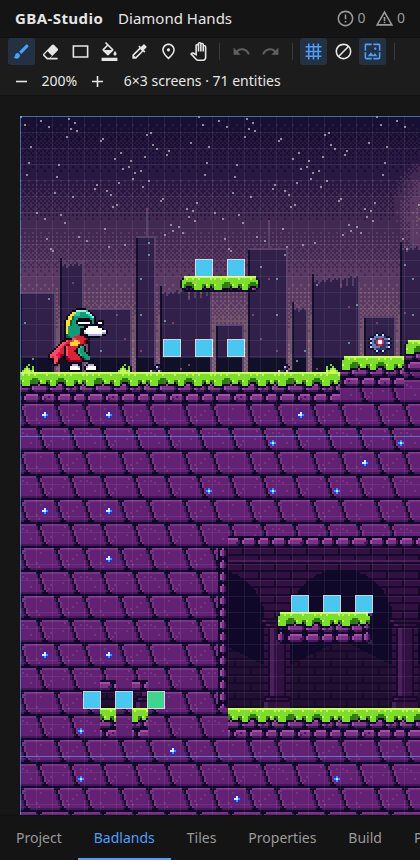
One panel is shown at a time, switched with the tabs along the bottom (Project, the open item, Tiles, Properties, Build, Problems). Touch targets are larger.
Addresses
The open item is kept in the address bar (#room:entry), so a reload or a pasted link comes back to it.
Saving, undo and live reload
- Autosave. Every edit saves by itself a moment after you make it. If a save fails, the top bar says so and the edit stays on screen.
- Undo and redo work per document:
Ctrl+ZandCtrl+Shift+Z, up to 200 steps. Pixel images keep 100 steps. - Live reload. Files changed on disk by something else (your pixel editor, git, a coding agent) show up in the studio straight away. Edits you have not saved yet are kept.
- Agent edits are undoable. Ctrl+Z in the studio undoes a coding agent's change to a document like any other step.
Problems
Problems are collected across the whole project and listed in the Problems panel. Click one to open the item it belongs to. They cover:
- missing files and unknown references;
- rooms with the wrong amount of tile data;
- overlapping rooms on the world map, or rooms outside a sized map;
- sprite frames that are not a GBA size;
- and more.
Fix them before you build; the build helper reports hardware limits (palettes, tile counts) when it runs. See Build and Play.
Importing files
Images, music and sounds are chosen on your device and stored in the game folder (assets/sprites/, assets/audio/, and so on). A file is never replaced without asking. Your source files stay the source of truth: the studio reads and watches them and rewrites a PNG only when you draw on it in the pixel editor.