Getting started
GBA-Studio is a browser-based studio for making Game Boy Advance Metroidvanias from assets you create yourself: pixel art in PNG, music in MIDI or tracker files, and rooms painted on a grid of GBA screens. It edits a project of plain JSON files, converts it to GBA-ready data for Rust games built on agb, and runs the resulting ROM in the browser.
It knows nothing about any particular game. It knows tiles, collision classes, entities with typed properties, sprites and animations, and music. What an entity does is written in each game's Rust code.
Requirements
- Node 24 or later and pnpm.
- To build ROMs: a Rust game crate on agb, with the nightly toolchain pinned in its
rust-toolchain.tomlandagb-gbafixinstalled (cargo install agb-gbafix). Editing needs none of this. See Making a game with it. - A browser. The studio has been tested in Chrome.
Install and open a project
pnpm install
pnpm build                  # build the web app once
pnpm start sample           # serve the sample project at http://127.0.0.1:4517
pnpm start ../my-game       # or any game folder
Open http://127.0.0.1:4517 in your browser.
| Option | Effect |
|---|---|
--port N | Use another port than 4517. |
--lan | Listen on every network interface so a tablet on the same network can open the studio. Anyone on that network can then edit the game folder and run its build command, so use it only on networks you trust. |
A new game folder
Opening a folder with no project offers to create one. That adds a studio/ folder with three small JSON files and touches nothing else.
Safety
The server can only read and write inside the folder it was given (symlinks that point out of it are refused), and refuses writes from other web pages.
Your first ten minutes
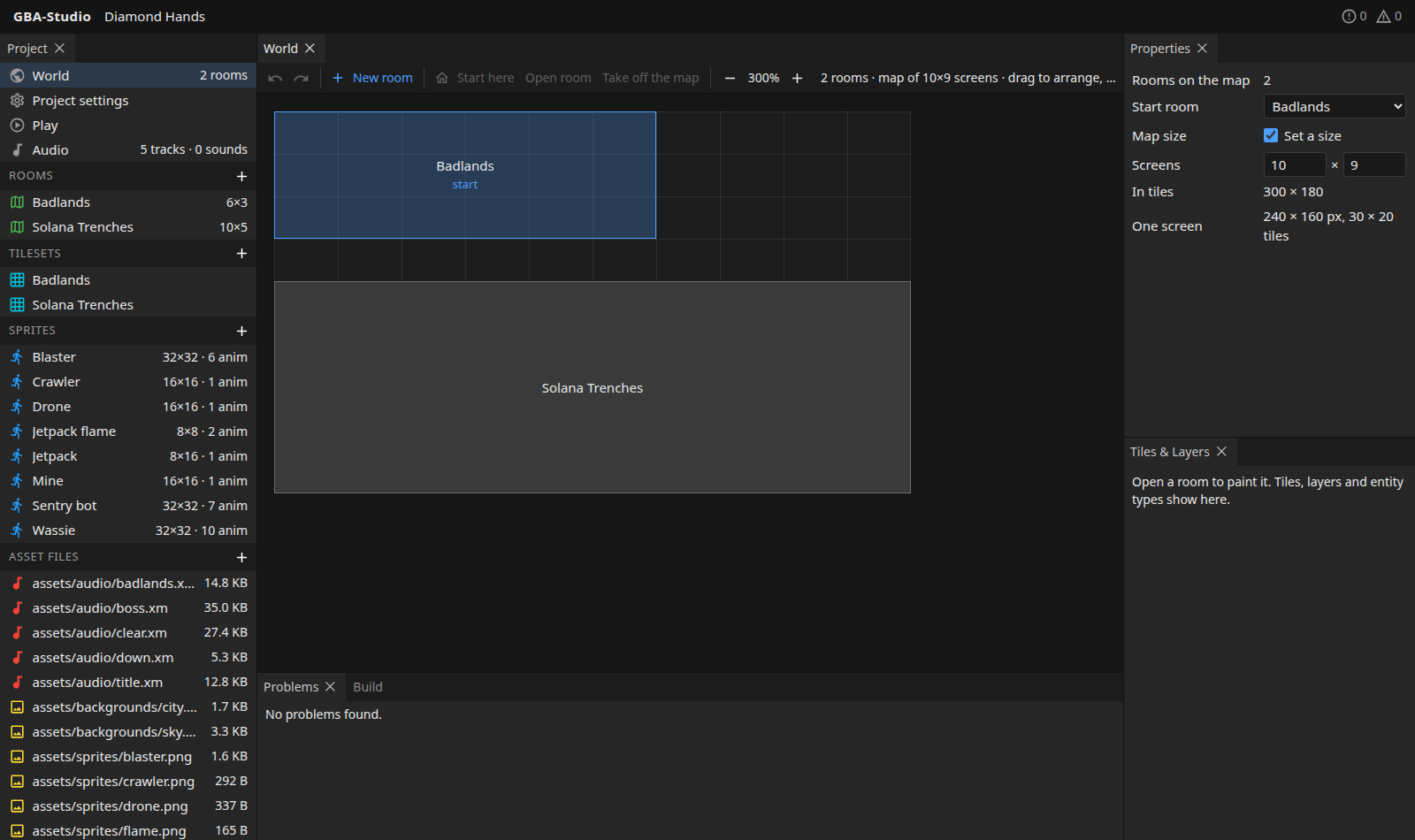
- Look around. The Project panel on the left lists everything in the game. Double-check the Problems panel at the bottom says "No problems found".
- Open the world map to see how rooms are laid out.
- Open a room from the Rooms list and paint on it with the map editor.
- Draw or import art. Use + beside Sprites or Tilesets, or open a PNG in the pixel editor.
- Build and play. Press Build dev in the Build panel, then open Play.
Working on the studio itself
pnpm dev runs the server on sample/ and the app under Vite with hot reload at http://localhost:5173.
pnpm test        # TypeScript tests (schemas, validation, helpers)
pnpm typecheck
cargo test       # Rust tests (build helper, collision and physics)
Working on these docs
pnpm --filter @gba-studio/docs dev       # live preview
pnpm --filter @gba-studio/docs build     # static site in docs/.vitepress/dist
The docs are published by the Docs GitHub Actions workflow whenever a version tag (v*) is pushed.